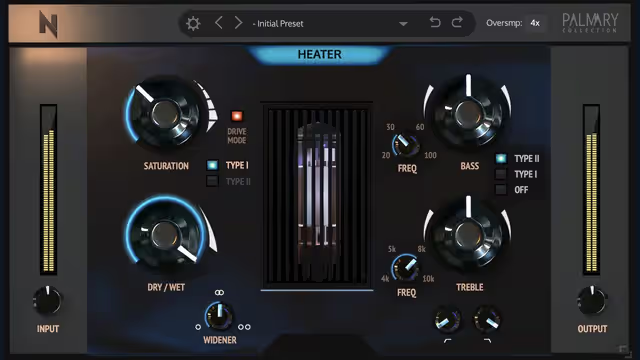
QFX Color 2B, promoted by Played Music, was offered as a free plugin for a limited time. Promotions like this often disappear quickly, so treat any old "free" claim with caution. Since we cannot confirm the plugin's exact feature set, this guide explains what colour and saturation plugins do, how to use them in a mix, and how to confirm whether the offer is still live.
What colour plugins do
A colour or saturation plugin adds harmonic content that was not in the original signal. This can happen through analog-style distortion, tape emulation, tube models or clipping. The result feels warmer, thicker or more forward. It can also make a sound appear louder without raising peak level, which is why it is so popular.
Common flavours
| Type | Sound | Good on |
|---|---|---|
| Tape | Soft compression, rounded highs | Drums, mix bus |
| Tube | Warm even harmonics | Vocals, keys |
| Transistor | Edgy, punchy | Guitars, snares |
| Clipping | Tight, loud | Kicks, percussion |
How to use saturation well
- Start with the mix control low. You want to hear character, not distortion.
- Match output to input volume so that louder does not fool you.
- Sweep the drive control until you hear the sound change, then back off.
- Check the tone. Some saturators brighten sounds, so rebalance with EQ.
- Test in mono to ensure the low end is still solid.
Where it fits in the chain
Saturation can go before or after compression. Before compression, the added harmonics are controlled. After compression, they retain more natural dynamics. Try both and pick the one that sounds best. If you need to refresh compression basics, see the Fruity Compressor tutorial. Also keep levels sensible; driving a saturator too hard is a classic mistake that gain staging helps avoid.
Practical uses
- Bass: adds upper harmonics that help notes translate on small speakers.
- Vocals: gentle warmth and presence.
- Drum bus: glue and punch.
- Synths: added grit without changing the notes.
Do not saturate everything
Small amounts across every track can add up to a harsh, congested mix. Use colour intentionally on elements that need it. Leave clean sources clean, and always compare with the effect bypassed.
Free alternatives
If the offer has ended, there are many free saturation plugins. Check our free VST list or explore the vintage character of Analog Obsession LAEA. Your DAW may also have a built-in saturator that works well.
Key takeaways
- Saturation adds harmonics for warmth and presence.
- Level-match to judge fairly.
- Use it deliberately, not on every track.
- Verify the offer on the official store.
FAQ
Is QFX Color 2B still free?
Probably not, since the offer was time limited. Check the official page.
What is saturation used for?
To add warmth, presence and perceived loudness.
Can saturation replace EQ?
No. It changes tone in a different way. Use both when needed.
Does it add latency?
Some plugins do when oversampling is on. Check your DAW's delay compensation.
Product and download reference
QFX Color 2B: Free Colour Plugin Overview and Saturation Tips — reference at 2bplayed.com. Check the destination for current versions, compatibility, licence, price and any registration requirements. A reachable page is not a guarantee that a past offer is still free.
Get QFX Color from 2B Played Music