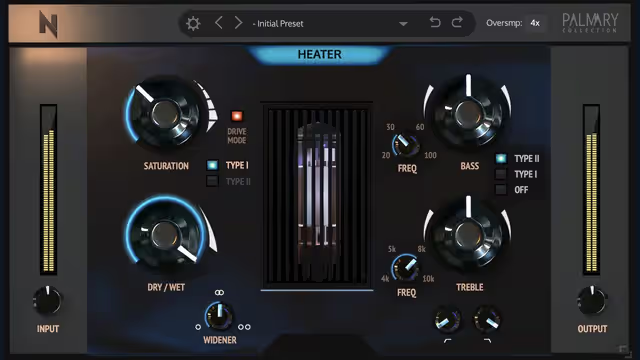
Two developers, XILS Lab and DDMF, have each run promotions offering plugins free for a limited time: XILS 3 LE, a light edition of a synth, and TheStrip, a channel-strip style processor. Rather than promise specifics, this article gives you a practical way to evaluate any free plugin promotion, using these two as examples of what to check.
Why free plugin promos exist
Developers run free offers to attract new users, promote a new release, or introduce a lite version that leads to a paid upgrade. Understanding this helps you see what you are really getting: often a fully working product, sometimes a trimmed one.
The four-question evaluation
- Does it solve a problem I actually have? A free channel strip is only useful if you need better channel processing.
- Does it run on my system? Check operating system, plugin format (VST, AU, AAX), and 32-bit or 64-bit support on the official product page.
- Is the licence permanent? Some promos give a permanent licence to the version offered, others are trials. Read the wording.
- What does registration involve? You may need to create an account or use an activation tool. Do this only on the official site.
Evaluating a synth like a light edition
A synth is judged on sound, workflow and presets. Run this quick test:
- Load five presets from different categories and play the same chord progression.
- Build one simple patch from scratch to see if the layout makes sense.
- Check CPU use with several notes held and a long release.
- See whether the interface is readable at your screen size.
Evaluating a channel strip
A channel strip combines tools such as EQ, dynamics and sometimes saturation in one window. Test it with a single vocal or drum loop:
- Bypass everything and set a comfortable level.
- Turn on one module at a time and note what changes.
- Level match the on and off states before deciding.
- Try it on two very different sources to see how flexible it is.
Good input levels make every test fairer; our gain staging guide explains how to set them.
Comparison worksheet
| Question | Synth example | Channel strip example |
|---|---|---|
| Sound quality | Presets and raw tone | Transparency and colour |
| Workflow | Patch building speed | Ease of moving between modules |
| CPU | Load with chords held | Load with several instances |
| Verdict | Keep or uninstall | Keep or uninstall |
Installing safely
- Download only from the developer's site or an official store.
- Keep receipts and licence keys in a dedicated folder.
- Install one plugin at a time and rescan your DAW.
- Avoid keygens or cracks; they are unsafe and unfair to the developers.
Managing your plugin collection
Free deals pile up quickly, and too many plugins slow you down. Keep a short list of go-to tools and uninstall what you do not use after a month. If you want ideas for building a starter toolkit, browse our free VST collection and consider a compressor such as the one in our LAEA article.
Avoiding promo fatigue
Nearly every week some developer announces a giveaway, and it is easy to grab everything and use nothing. Set a personal rule: before claiming a promo, name the specific job the plugin will do in your next project. If you cannot, skip it. There will be another deal, and your time is worth more than a hard drive full of untouched installers.
What to do after a month
- List the plugins you opened at least three times.
- Keep those, and note which ones you use for which job.
- Uninstall the rest, or move the installers to an archive folder with their licence details.
- Back up your licence keys somewhere other than your main computer.
Reading the small print
Take a minute with the terms on the promo page. Look for anything about expiry, whether updates are included, and whether the licence is tied to one machine. These details differ between developers, and nothing here should be assumed.
Start small with one plugin
Rather than testing both plugins in the same session, dedicate one evening to each. Make a short song using only that tool for its job, whether that is a synth part or channel processing. You will learn its strengths and quirks much faster than by skimming presets, and you will find out honestly whether it deserves a permanent place in your template.
Finally, keep a copy of the installer and licence email. Developers sometimes retire old download links, and having your own archive avoids a scramble when you set up a new computer.
Key takeaways
- Verify every promo on the official page; they are usually temporary.
- Evaluate with a repeatable test, not a first impression.
- Check licence terms and system compatibility before you install.
- Keep only the tools you use.
FAQ
Are XILS 3 LE and TheStrip still free?
They may not be. Both were limited-time promotions, so check the official pages.
What does LE stand for?
It usually means light edition, a reduced version of a larger product.
Will a free licence carry over to updates?
That depends on the developer's terms, so read them at registration.
Do I need an account?
Often yes for licensing. Create it only on the official site.