


How to Record High-Quality Vocals in FL Studio
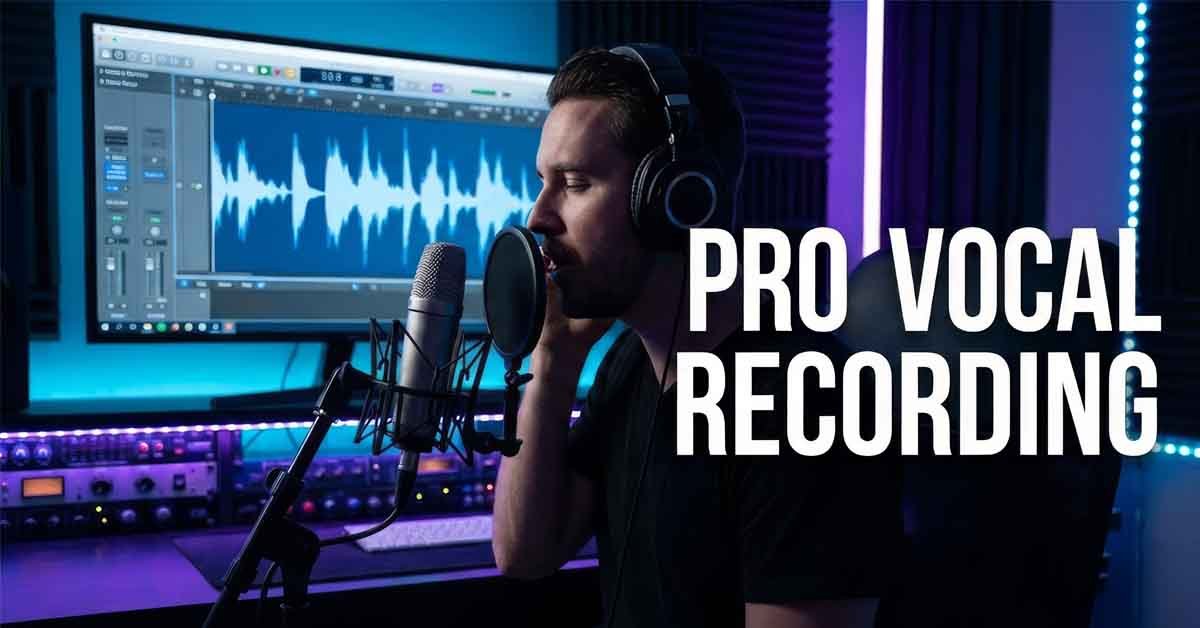
Recording good vocals in fl studio is challenging because it requires practice. As an experienced music producer with 10 years in music production, I’ll teach you a fantastic and accurate method to record high-quality vocals .
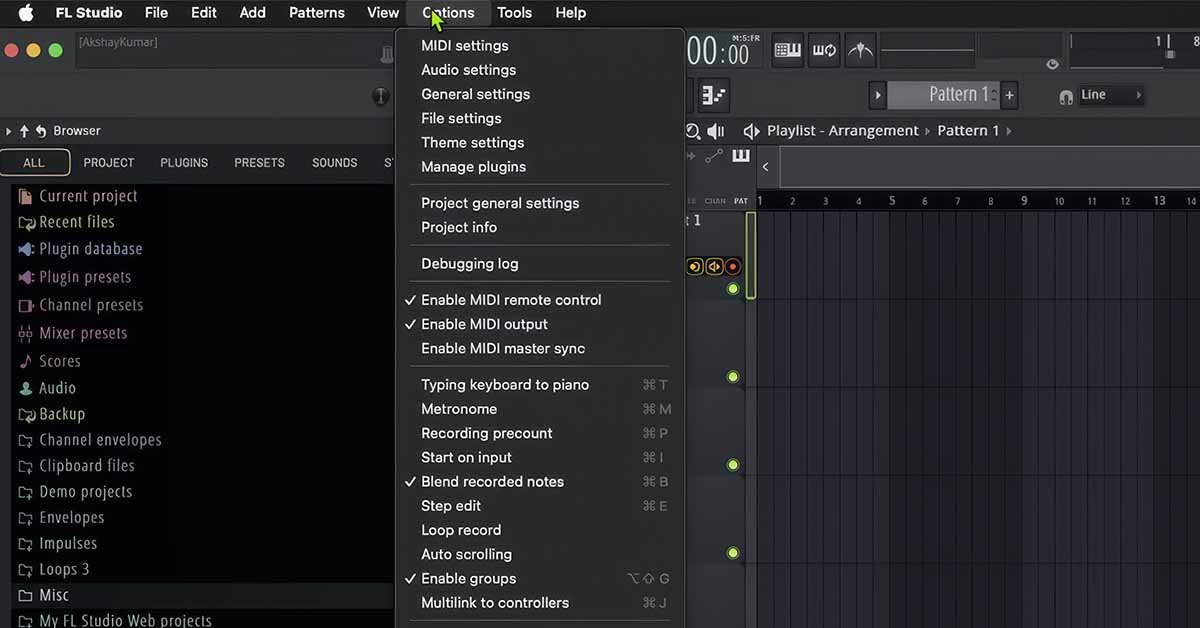
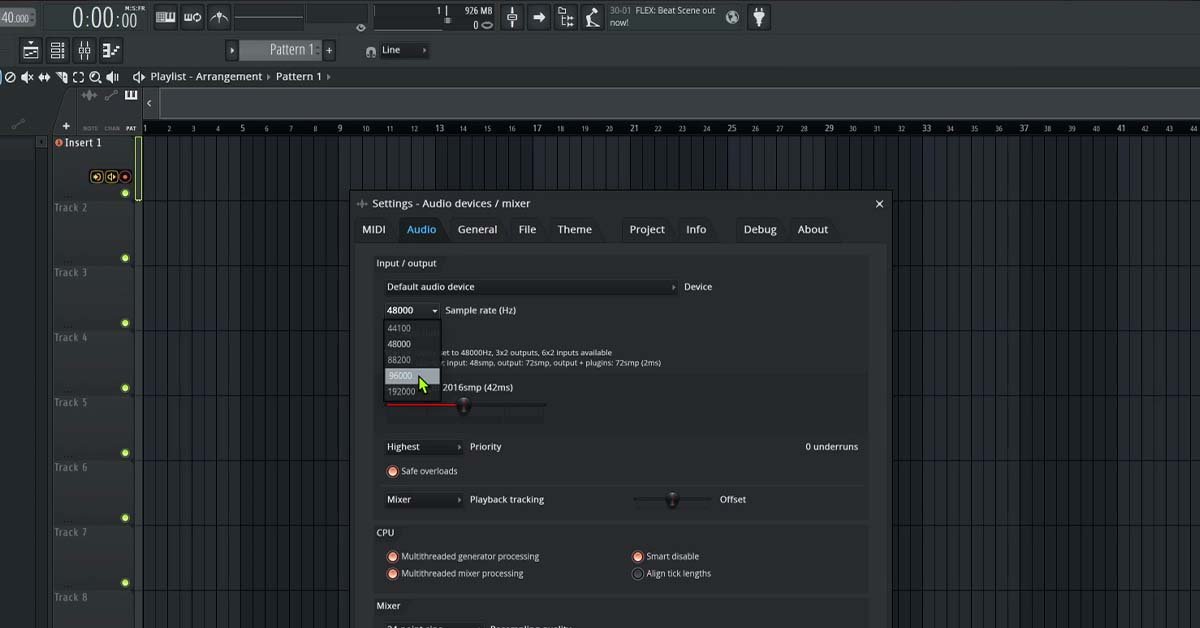
go to Options in FL Studio Menu
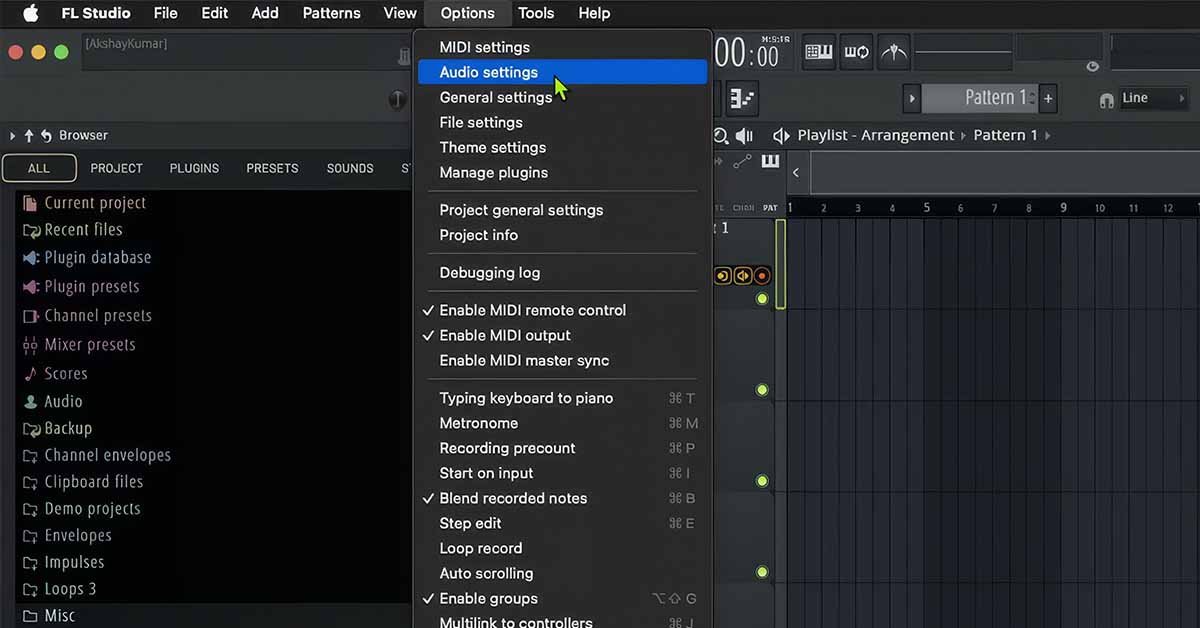
then Select Audio settings
Then You'll see Settings of audio Devices Here you have to change Sample rate
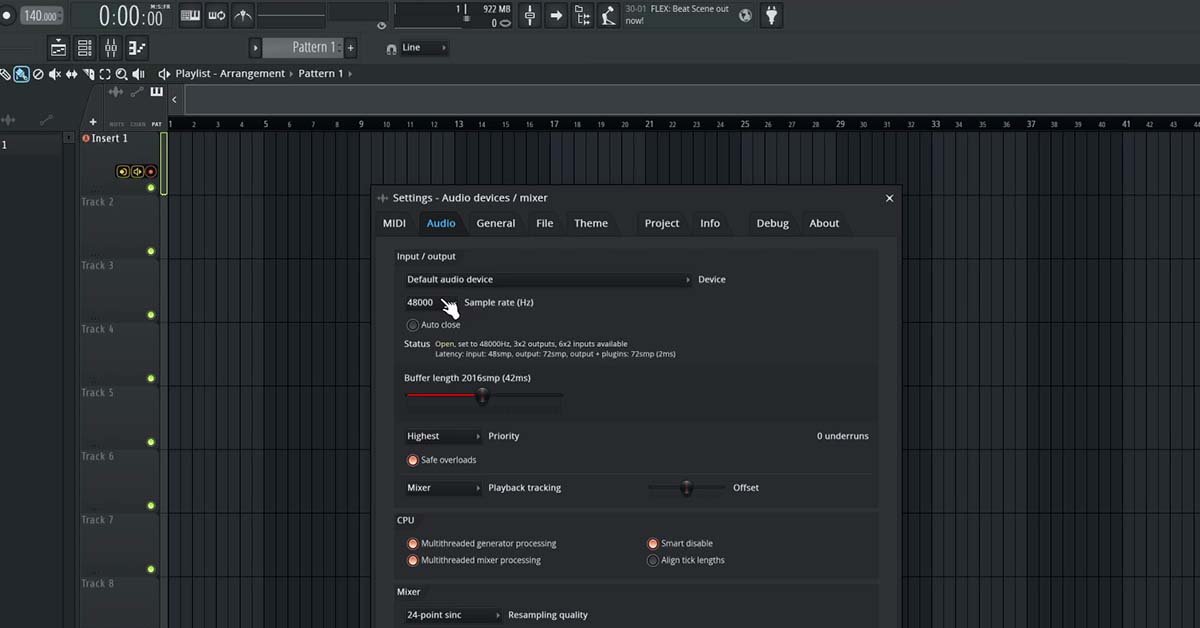
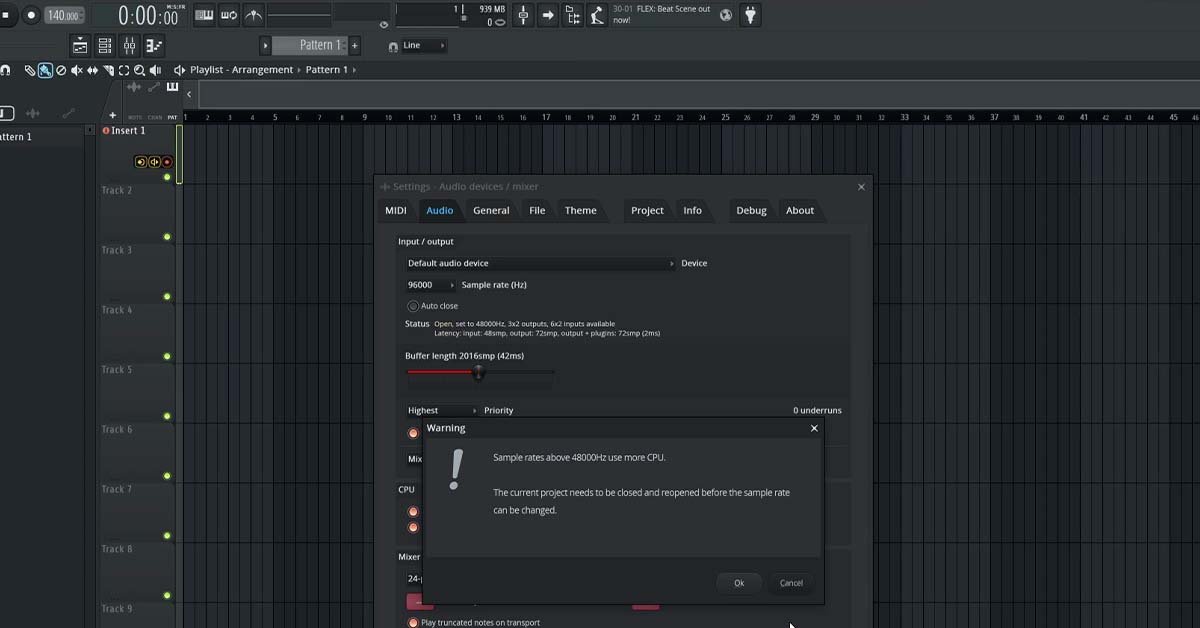
Now Choose Sample Rate 96000 Hz Reason behind choosing higher sample rate improves the audio signal make it more readable to plugins coz plugins works best with higher sample rate but it takes
lots of cpu in your fl studio so change it back to 48000 hz after you finish recording
Now just save your project and restart the fl studio
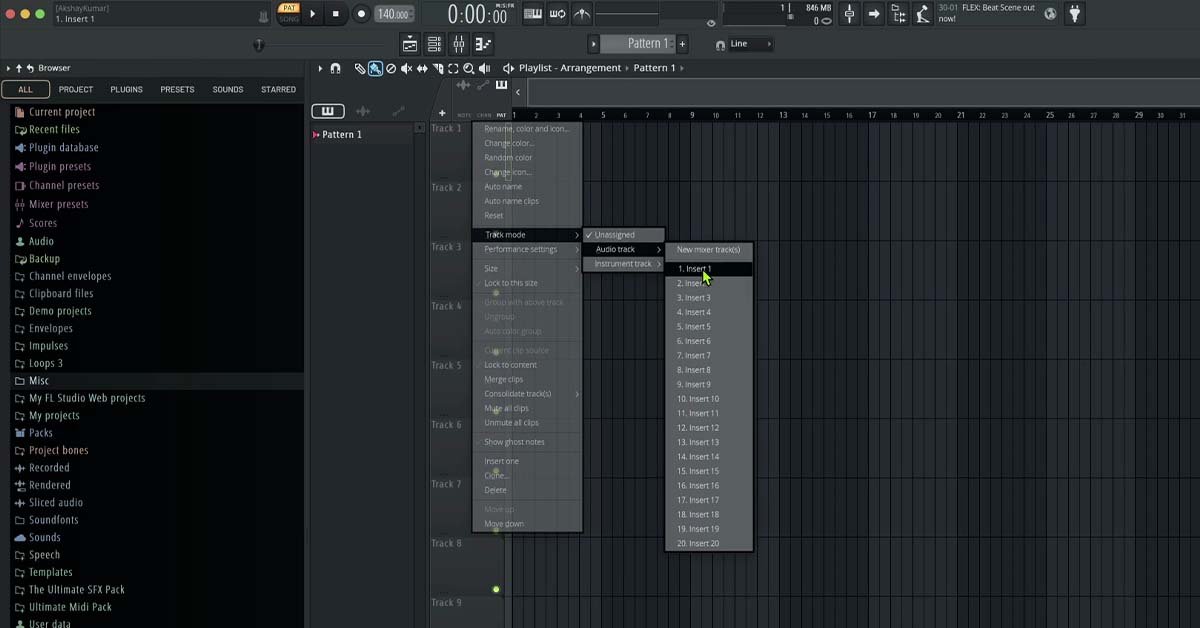
in fl studio it doesn't link playlist to mixer automatically now for the next we have to link playlist tracks to mixer tracks step choose any track from the playlist
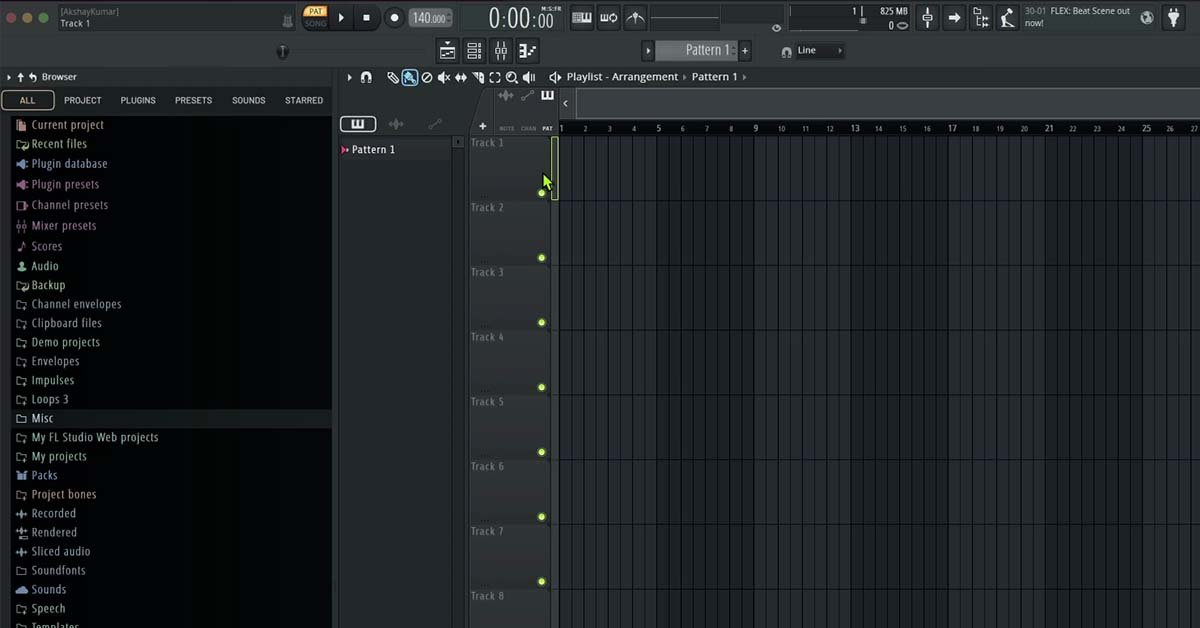
now just right click on the selected track
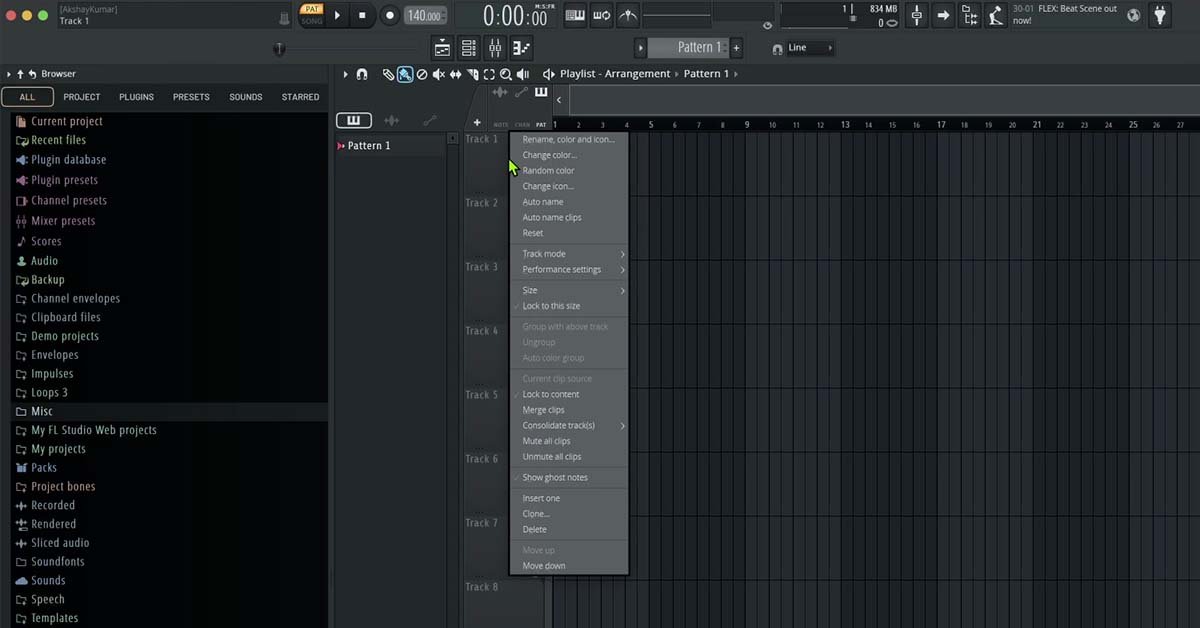
then click on track mode - audio track - and select insert 1 or 2 or 3 choose by your choice
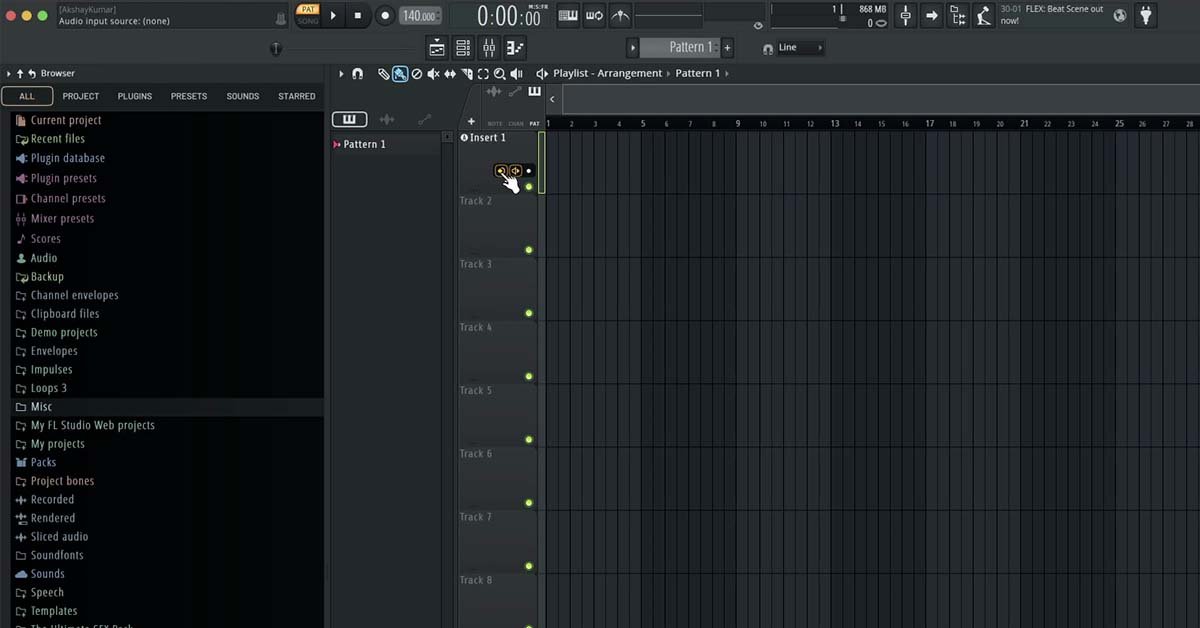
now if you see this kind of playlist control you're almost there
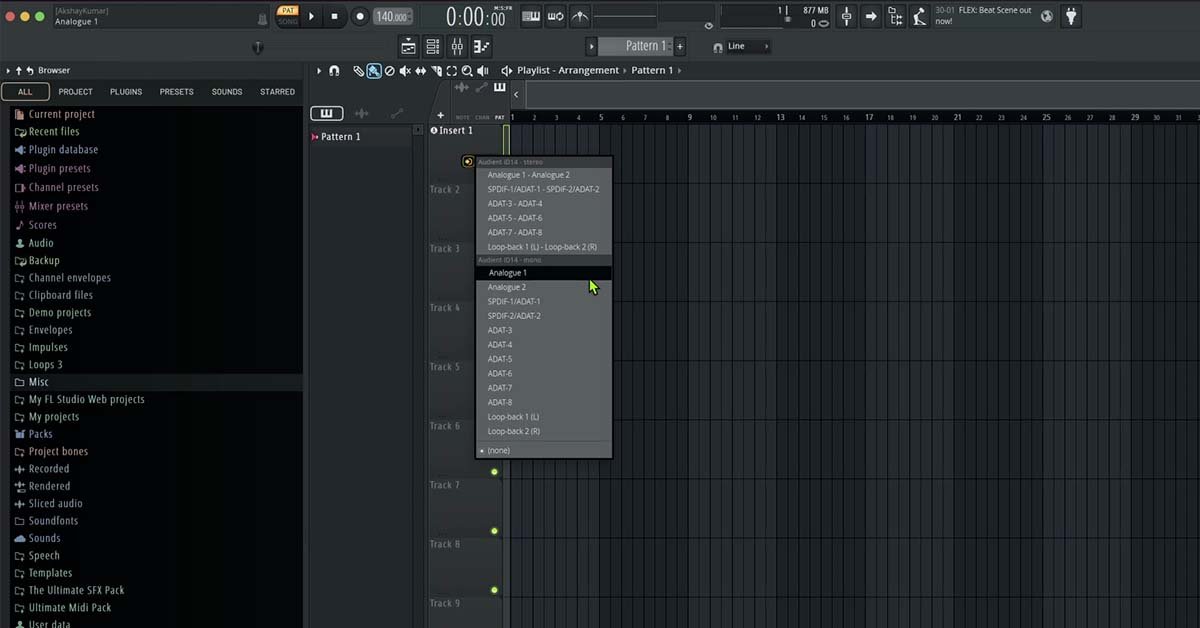
Now you just have to choose Audio input source means you have to choose your mic now after selection of your mic just hit record button
Attention : After recording don't forget to set your sample rate to default at 48000 hz cuz if u don't do it you end up listening crackling sound while producing track to make it less cpu
heavy switching back to default sample rate is important
Bonus Tips (Big Difference in Quality)
✅ Record at -12 dB to -6 dB peak
✅ Use pop filter
✅ Treat room (blankets help)
✅ Monitor with headphones only
✅ Avoid clipping — never go red