
Sync Audio Launch Free Plugin Megamod
Sync Audio Launch Free Plugin Megamod
What Is SyncAudio MegaMod Plugin?
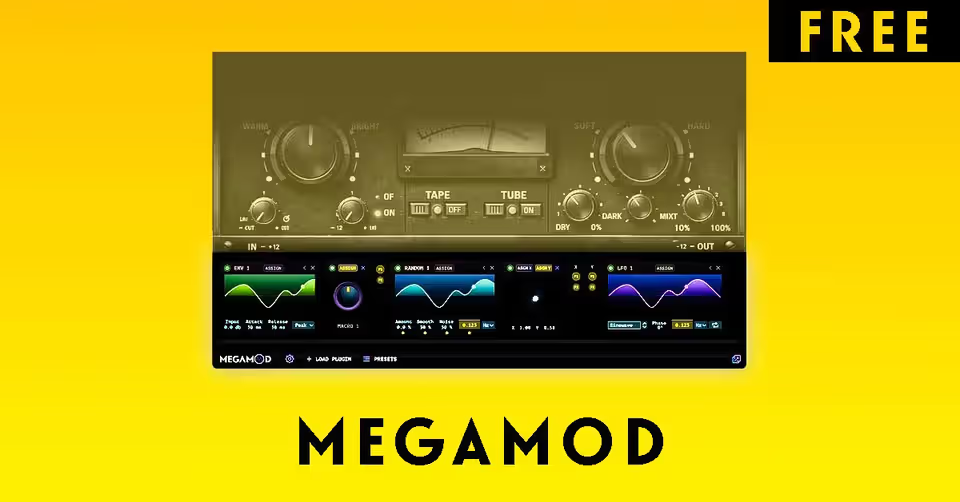
MegaMod works as a plugin-inside-plugin host.
You load MegaMod on your track → then load another plugin inside MegaMod → and now you can modulate that plugin’s parameters in real time.
According to SyncAudio:
MegaMod "snaps onto any third-party plugin" and exposes its parameters for modulation.
So even if your favourite VST:
Has no LFO
No Macro control
No automation mapping
No movement options
You can now:
Add rhythmic modulation
Blend presets
Create evolving FX chains
Control multiple parameters from one knob
All inside one interface.
MegaMod Key Features
LFO Modulator
Randomizer
Macro Knobs
XY Pad
Preset Blender
Host Tempo Sync
Multi-Parameter Linking
Automation Replacement
MegaMod can dramatically reduce the need for automation lanes, helping producers create complex evolving sounds faster.
For your RedBlood Mixing & Mastering Course sessions, this is insane for:
Dynamic vocal saturation
Automated delay throws
Moving filter EQs
Morphing parallel compression chains
You can literally show students macro-controlled mix processing in real-time.
Step 1 — Insert MegaMod On Any Track
Open your DAW (FL Studio / Ableton / Logic etc.)
Load MegaMod as an insert effect plugin
Step 2 — Load Any Plugin Inside MegaMod
Click:
👉 Load Plugin
Select your favourite EQ / Saturator / Reverb / Delay etc.
MegaMod now hosts that plugin internally.
Step 3 — Choose a Modulation Source
You can now select:
LFO
Macro
XY Pad
Randomizer
Preset Blender
Each modulator can control multiple parameters at once.
Step 4 — Assign Parameters
Simply drag modulation routing to:
Filter cutoff
Gain
Drive
Mix
Feedback
Reverb size
Now your plugin becomes dynamic.
Step 5 — Sync With BPM
Enable tempo sync for:
Rhythmic filter sweeps
Delay throws
Sidechain-style movement
Saturation pulsing
Step 6 — Blend Presets (Pro Feature)
Save up to 4 plugin states and morph between them using the Blender.
Perfect for:
Drop transitions
Build-ups
Vocal FX automation
Master bus movement
System Requirements
Windows 10+
macOS 10.11+
VST3 / AU / AAX
Works in all major DAWs
Standalone version included
If you're someone like Akshay from RedBlood Music, who:
Teaches mixing
Makes daily production reels
Demonstrates plugin workflows
MegaMod can become one of the best free sound-design tools of 2026 for:
Advanced mixing automation
Creative FX movement
Dynamic mastering chains
Live modulation demonstrations
And since it’s currently available for free in beta, it’s worth grabbing before it potentially becomes paid later.
Product and download reference
Sync Audio Launch Free Plugin Megamod — reference at syncaudio.io. Check the destination for current versions, compatibility, licence, price and any registration requirements. A reachable page is not a guarantee that a past offer is still free.
Megamod Plugin Download