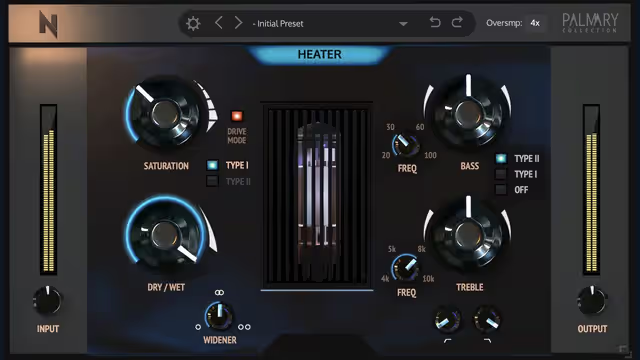
Noisebuds released a free de-harsher plugin, and tools in this category have become popular for taming piercing highs and resonances. Since exact version details can change, this guide explains what a de-harsher does in general, when to reach for one, and how to set it up without ruining your tone.
What harshness actually is
Harsh sounds usually come from narrow build-ups of energy, often between about 2 kHz and 8 kHz, though this varies. Cymbals, vocals, distorted guitars, bright synths and over-compressed drums are common culprits. The ear is most sensitive in this region, so small peaks feel painful over time and cause listener fatigue.
How a de-harsher differs from other tools
| Tool | Approach | Best for |
|---|---|---|
| Static EQ | Fixed cut at set frequencies | Constant problems |
| Dynamic EQ | Cuts only when a band exceeds a threshold | Occasional problems |
| De-esser | Reduces sibilance, usually 5 to 9 kHz | Vocals |
| De-harsher or resonance suppressor | Detects and reduces peaks automatically across the spectrum | Broad harshness on full sounds and buses |
Where to use it
- Vocal buses with bright recordings
- Drum overheads and hats
- Distorted synths and guitars
- The mix bus, very lightly, as a final polish
Setup workflow
- Insert it after any EQ or compressor that shapes tone.
- Start with low depth so the effect is barely noticeable.
- Solo the removed material if the plugin offers a delta or listen mode to hear what you are taking out.
- Increase the amount until the harshness eases, then back off slightly.
- Level-match your A/B comparison and check on different speakers.
Do not overdo it
Over-processing leaves sounds dull, lisping or phasey. If you find yourself using extreme settings, the fault may lie earlier in the chain: a source that was recorded too hot, a harsh saturator, or a compressor working too hard. Fix the problem at its cause where possible. Proper levels help; our gain staging guide explains how to avoid pushing plugins into distortion in the first place.
Vocals: pair with a de-esser
De-essers and de-harshers can work together. Use the de-esser for sharp S and T sounds, and the de-harsher to smooth overall brightness. If a vocal was recorded well and compressed carefully, as described in our Fruity Compressor guide, you will need less correction.
Using it on the master
A very light touch on the mix bus can make a brighter master more pleasant, but it will affect everything, so keep the amount small and bypass it regularly. Never use it to fix problems that belong in individual tracks.
Where to find more free tools
Explore the 500 free VST plugins list for EQs, dynamics and more. Download plugins from official pages only.
Key takeaways
- De-harshers reduce spiky resonances automatically.
- Use light settings and level-match your comparisons.
- Fix problems at the source before processing heavily.
- Verify the download page and licence.
FAQ
Will a de-harsher make my track dull?
Not if you use it lightly. Too much depth will dull the high end.
Is it better than EQ?
It is different. It adapts to the material, while EQ is fixed.
Can I use it on the whole mix?
Yes, but sparingly and only after checking individual tracks first.
Is version 3.5 still free?
Check the developer's page for current availability.
Product and download reference
De-Harsher Plugins: Taming Harsh Frequencies in Your Mix — reference at www.patreon.com. Check the destination for current versions, compatibility, licence, price and any registration requirements. A reachable page is not a guarantee that a past offer is still free.
Get Smile from Noisebud