
Niviem OPT4 Compressor - Free Plugin Deal
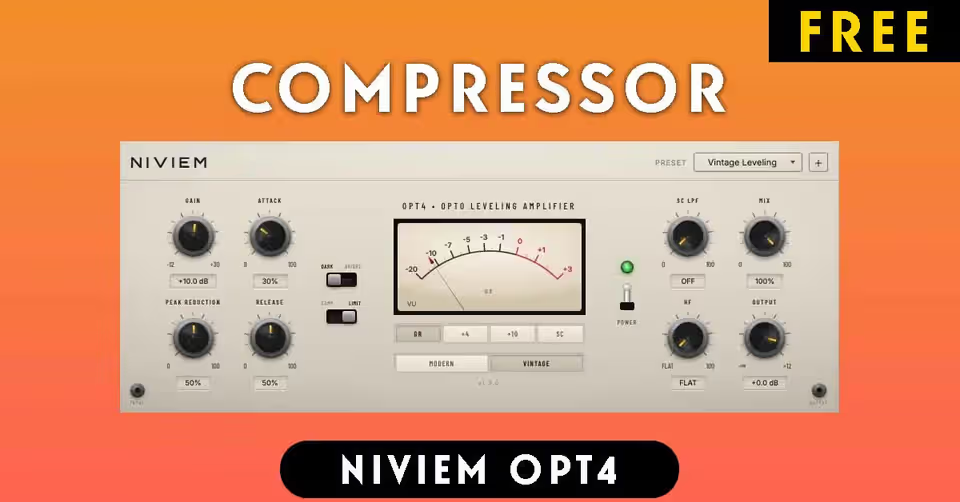
Niviem OPT4
Quick Start · Version 1.0
Install
macOS
Download the .pkg installer
Open the installer and follow the prompts (requires administrator password)
The installer places plugins in system-level directories:
AU:
/Library/Audio/Plug-Ins/Components/Niviem OPT4.componentVST3:
/Library/Audio/Plug-Ins/VST3/Niviem OPT4.vst3
Restart your DAW and scan for new plugins
Windows
Ensure Microsoft WebView2 Runtime is installed (pre-installed on Windows 11)
Download and extract the archive
Copy
Niviem OPT4.vst3toC:\Program Files\Common Files\VST3\Restart your DAW and scan for new plugins
Basic Usage
Insert NIVIEM OPT4 on a vocal, bass, or mix bus track
The plugin loads with the Vintage Leveling preset (LIMIT mode, VINTAGE opto)
Adjust PEAK REDUCTION until you see 3-6 dB of gain reduction
Adjust GAIN to match bypass level (default is +10 dB)
Try COMPRESS mode for vocals, LIMIT for bass
Fine-tune ATTACK and RELEASE to taste
Product and download reference
Niviem OPT4 Compressor - Free Plugin Deal — reference at niviem.net. Check the destination for current versions, compatibility, licence, price and any registration requirements. A reachable page is not a guarantee that a past offer is still free.
Download Niviem OPT4 Compressor Free